
A Security Operations Centre (SOC) is the team that watches an organisation's systems around the clock and reacts when something looks wrong. If ethical hackers are the people who test the locks, SOC analysts are the guards watching the cameras.
Most SOC work follows the same path, every single time.
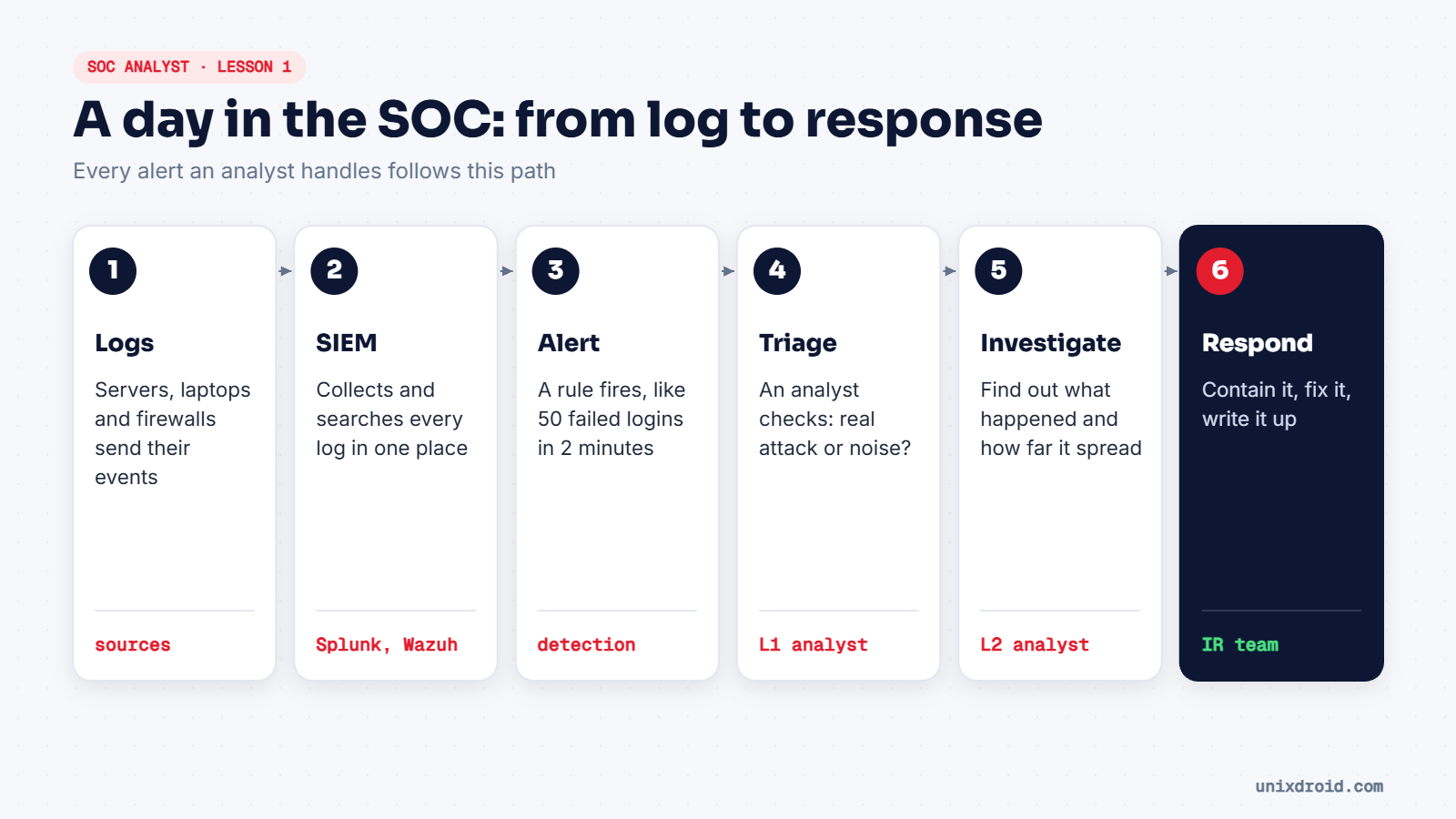
The pipeline, step by step
1. Logs. Every device writes down what happens: a login, a new process, a blocked connection. On their own, these logs sit on thousands of separate machines.
2. SIEM. A SIEM (Security Information and Event Management) tool pulls those logs into one place so you can search them together. Splunk, Microsoft Sentinel, Elastic and the free, open-source Wazuh are common ones.
3. Alert. Detection rules run over the logs all the time. When one matches, for example "more than 50 failed logins for one user in 2 minutes", the SIEM raises an alert.
4. Triage. A Level 1 (L1) analyst looks at the alert and decides quickly: real attack, or normal activity that only looks odd? For a new analyst, this is most of the job.
5. Investigation. Alerts that look real go to L2, who dig deeper. Which machines are involved? What did the attacker do? Is it still happening?
6. Response. The incident response team contains the threat, removes it, and writes up what happened.
The tiers
| Tier | Main job | Rough experience |
|---|---|---|
| L1 analyst | Watch alerts, triage, escalate | Entry level |
| L2 analyst | Investigate incidents in depth | 1–3 years |
| L3 / threat hunter | Hunt hidden attackers, write detections | Senior |
| SOC manager | Runs the team, reports to leadership | Senior |
Skills that matter most
- Reading logs calmly. You'll see thousands of lines a day.
- Linux and Windows basics: users, processes, services, the file system.
- Networking: IPs, ports, DNS, and what normal traffic looks like.
- Clear writing. Every alert you close needs a short reason a colleague can understand.
A good L1 analyst isn't the one who knows every attack. It's the one who asks "is this normal?" every single time.