
When triage confirms an attack, the job changes. Now the goal is to stop the damage, clean up and make sure it doesn't happen again. Most teams follow a set order so nobody panics or skips a step.
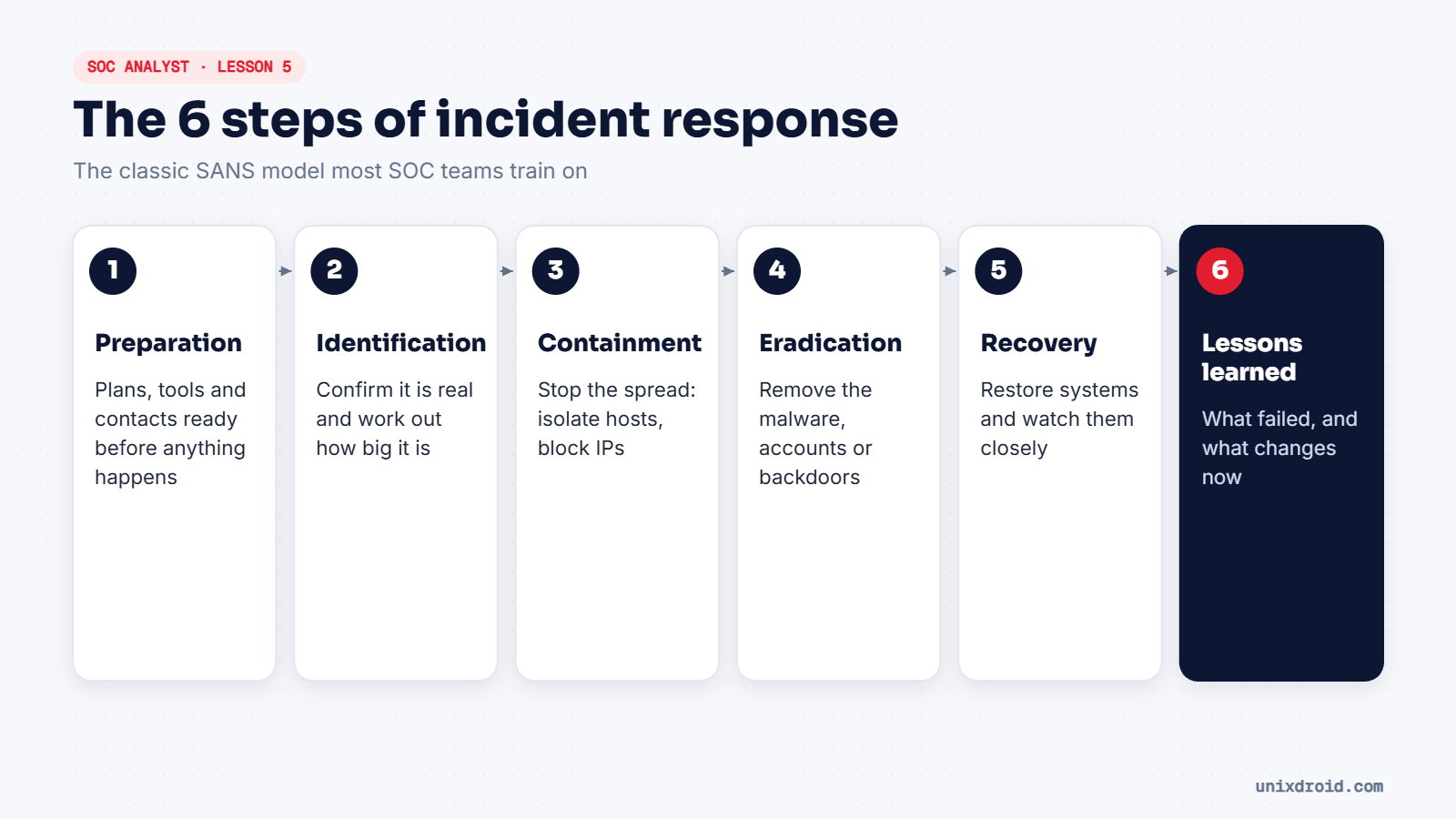
This is the classic SANS model. You'll also hear of NIST SP 800-61, which groups the same ideas a little differently. The thinking is the same.
Walking through one incident
Let's follow a real-looking case: an employee's laptop starts encrypting files on a shared drive.
1. Preparation (before any of this). The team already has a response plan, a contact list, and tools ready. Without this step, everything below is slower and messier.
2. Identification. The SIEM shows hundreds of files being renamed with a strange extension, all from one laptop. The analyst confirms it isn't a backup job and declares an incident.
3. Containment. Disconnect the laptop from the network, by pulling the cable, turning off Wi-Fi, or isolating it with the endpoint security tool. Try not to power it off, because memory can hold evidence such as running processes and network connections.
4. Eradication. Find out how it got in (say, a malicious email attachment), remove the malware, reset the user's passwords, and check other machines for the same file.
5. Recovery. Restore the encrypted files from backups, rebuild the laptop if needed, and keep watching it closely for a few days.
6. Lessons learned. Within a week or two, the team meets. Why did the attachment get through? Why could one laptop encrypt the whole shared drive? Then something changes: an email rule, a permission, a training session.
Keep a timeline from minute one
During an incident, write everything down with the time:
10:42  SIEM alert: mass file renames from LAPTOP-ACC-07
10:46  Confirmed not a backup job. Incident declared.
10:49  LAPTOP-ACC-07 isolated from the network
11:15  Malicious attachment found in user's inbox
This timeline becomes the backbone of the final report, and it protects the team if anyone later asks "who did what, and when?"
The worst thing in a live incident is everyone doing something different. A clear process lets people stay calm and work in order.