
Reconnaissance, or recon, is the homework phase. Before you test anything, you learn about the target: what it owns, what it runs, and who works there. The more you know now, the less you have to guess later.
There are two kinds of recon, and the difference matters both technically and legally.
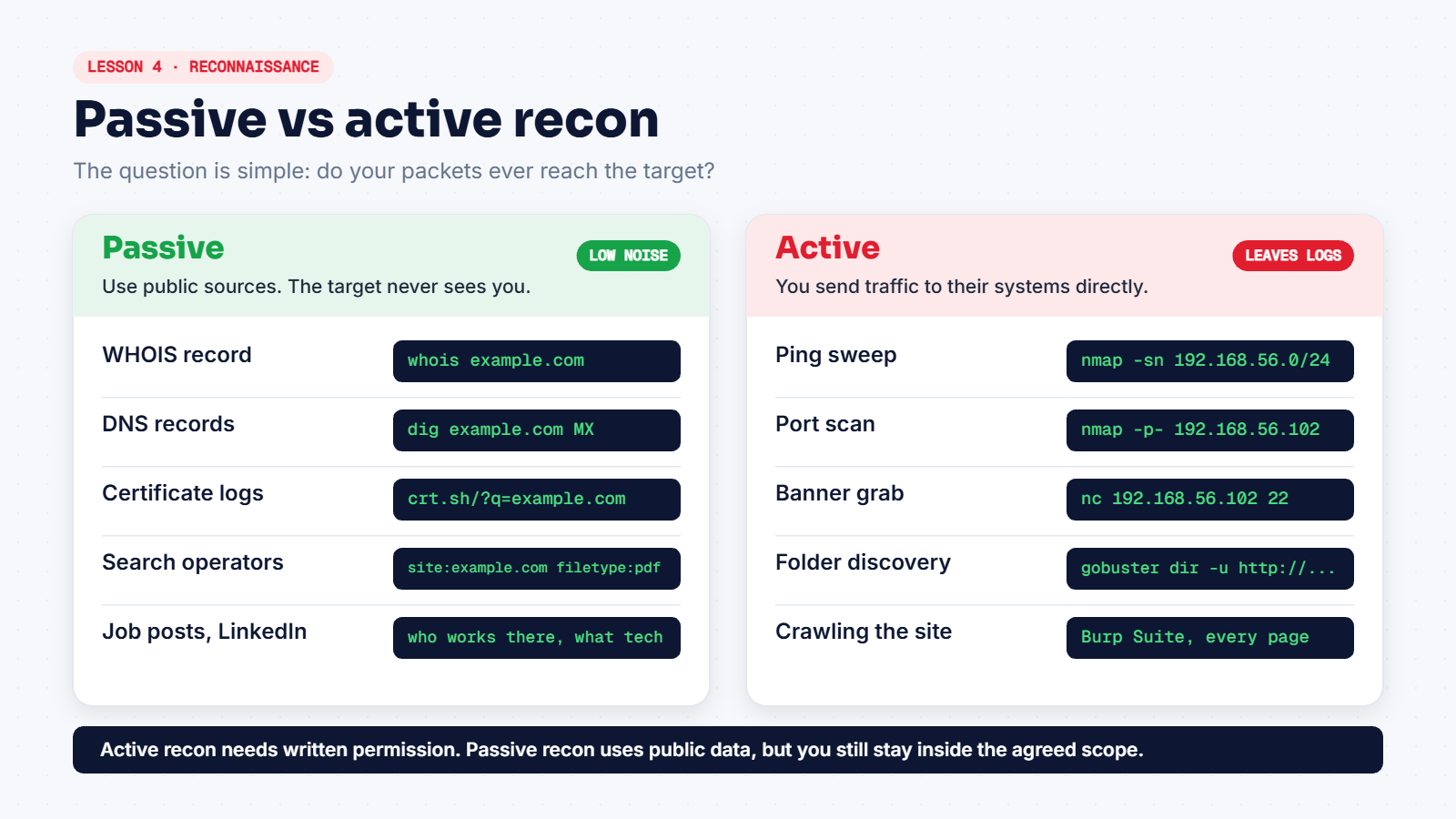
Passive recon: the target never sees you
You only use information that is already public and stored on someone else's servers. The target's own systems get no traffic from you, so there's nothing in their logs.
WHOIS shows who registered a domain, and when:
whois example.comMany records are privacy-protected now, but you'll usually still get the registrar, the creation date and the name servers.
DNS records show where a company's website and email live:
dig example.com A
dig example.com MX
dig example.com TXT
A gives the IP address and MX gives the mail servers. TXT records often reveal which services the company uses, such as Google Workspace or Microsoft 365, through verification entries. These lookups go through your normal DNS resolver, so most methods count them as passive.
Certificate transparency logs list every SSL certificate issued for a domain. They often reveal subdomains nobody links to, like dev.example.com or vpn.example.com. Search for the domain on crt.sh.
Search operators focus Google on one site:
| Search | What it finds |
|---|---|
site:example.com | Pages Google has indexed on that domain |
site:example.com filetype:pdf | PDFs, which sometimes contain names and internal details |
site:example.com -www | Subdomains other than www |
People and job posts tell you a lot too. A job ad asking for "experience with Splunk and Palo Alto firewalls" tells you exactly what that company runs.
Active recon: your packets reach the target
Now you talk to the target's systems directly. It's more accurate, but it shows up in their logs, and it needs written permission. Practise these only on your lab.
- Ping sweep, to see which hosts are online:
nmap -sn 192.168.56.0/24 - Port scanning, to see which doors are open. That's the next lesson.
- Banner grabbing: connect to a port and read what the service says about itself.
nc 192.168.56.102 22On Metasploitable this prints the SSH version, something like SSH-2.0-OpenSSH_4.7p1 Debian-8ubuntu1. Press Ctrl+C to exit.
- Directory discovery with tools like
gobuster, which guesses hidden folders on a website.
Keep notes from the first minute
Recon produces lots of small facts. Write every one down: domains, subdomains, IPs, names, technologies. A plain text file works, or a notes app like Obsidian or CherryTree. Good notes are what make the scanning phase quick.
Even passive recon stays inside the agreed scope. Digging up employees' personal lives "because you can" is not part of a professional test.