
Your phone is connected to a network all day. With Termux you can look at that network the same way a security tester would, as long as it's your own.
Only scan your own home network, or a network you have written permission to test. Scanning office, college or public Wi-Fi without permission can get you into serious trouble.
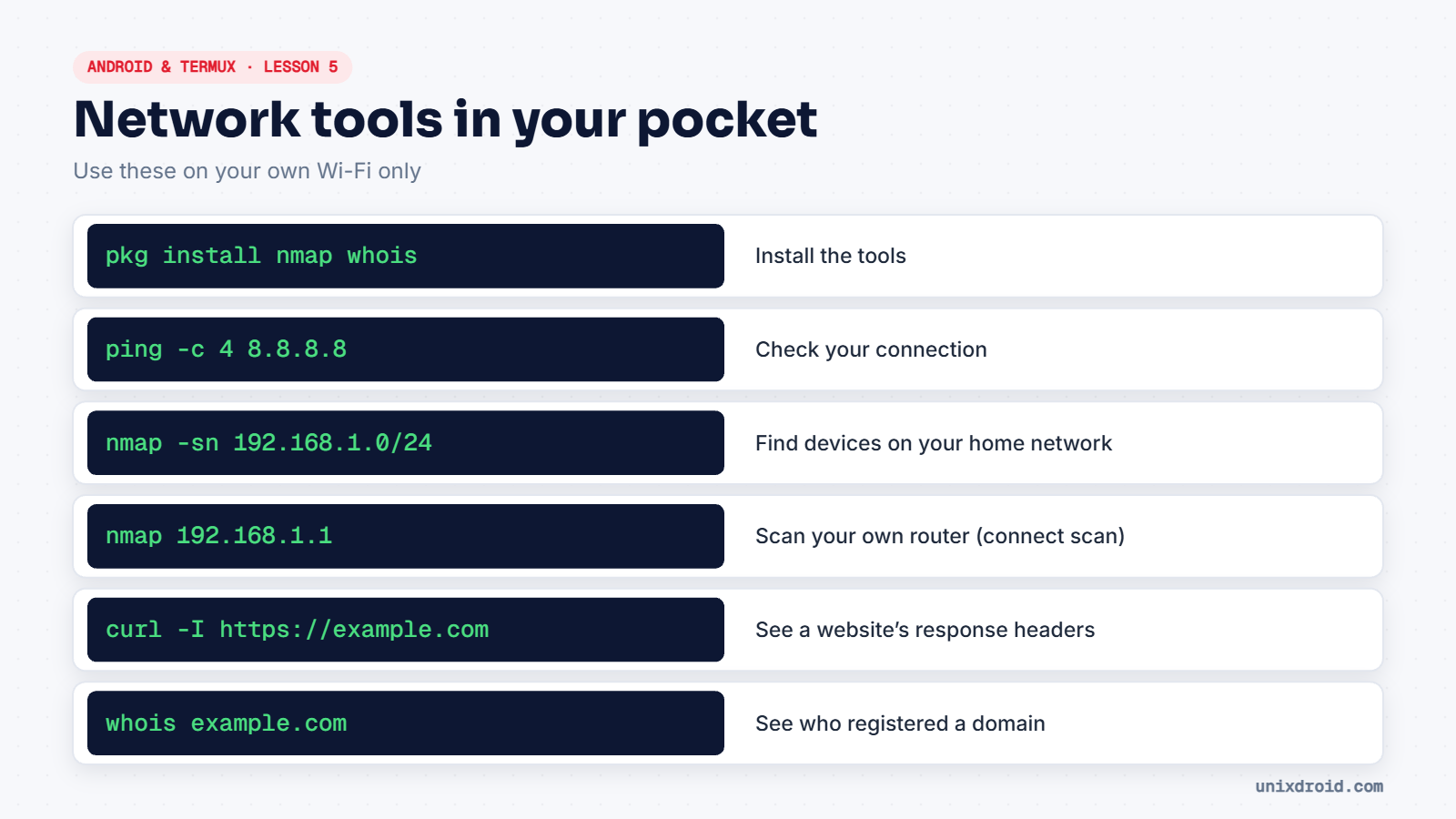
Step 1: Install the tools
pkg install nmap whois curlStep 2: Find your network
Open Android Settings → Wi-Fi, tap your network, and look for the IP address (something like 192.168.1.7) and the gateway or router (usually 192.168.1.1). If your IP starts with 192.168.1., your network is most likely 192.168.1.0/24.
Step 3: Check your connection
ping -c 4 8.8.8.8Four replies with low times means your internet works. Press Volume Down + C to stop it if you leave out -c 4.
Step 4: Find devices at home
nmap -sn 192.168.1.0/24You'll see your phone, your router, and every laptop, TV and smart plug that's online. Many people are surprised how many devices they have.
Step 5: Scan your own router
nmap 192.168.1.1Typical results are 53 (DNS), 80 and 443 (the router's admin page). Without root, Termux uses a TCP connect scan, which is a bit slower than a SYN scan but works fine.
If you find something like 23/tcp open telnet on your router, that's worth fixing: log in to the router and turn it off, or update its firmware.
Step 6: Look at websites and domains
curl -I https://example.com
whois example.com
curl -I shows the server's response headers. whois shows who registered the domain and when.