
A fresh Termux install needs a few minutes of setup. Do these steps once and everything later goes smoothly.
Step 1: Update everything
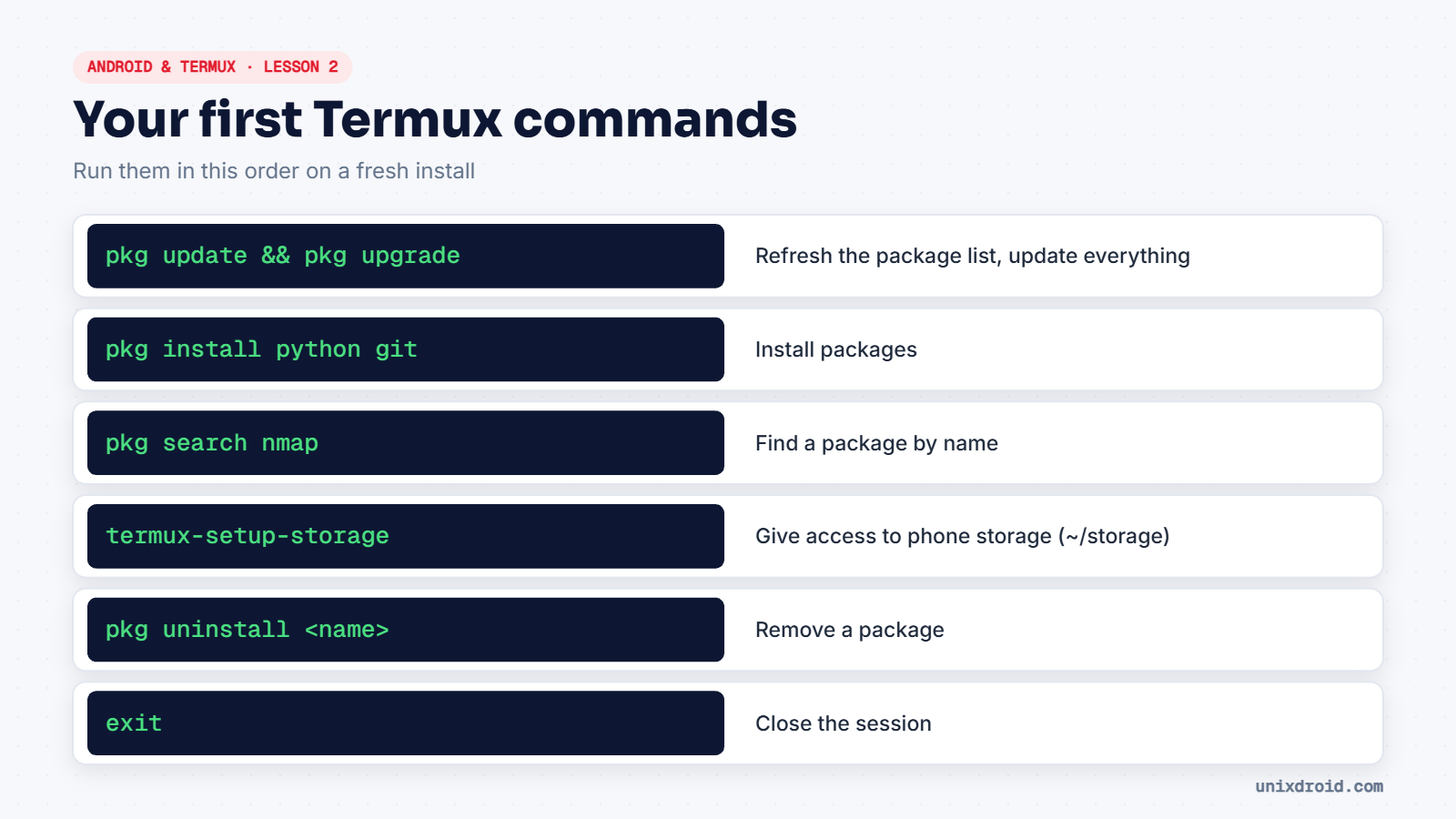
pkg update && pkg upgradePress Enter (or type y) whenever it asks a question. If downloads are slow or fail, run termux-change-repo and pick a different mirror.
Step 2: Install a few useful tools
pkg install python git nanoCheck they worked:
python --version
git --version
Step 3: Reach your phone storage
By default, Termux can only see its own home folder. To reach your Downloads and other files:
termux-setup-storageAllow the permission when Android asks. A new folder appears at ~/storage, with shortcuts such as ~/storage/downloads and ~/storage/shared.
Typing shortcuts
- The extra keys row above the keyboard gives you ESC, CTRL, ALT, TAB and arrow keys.
- Volume Down works as Ctrl. So Volume Down + C is Ctrl+C, which stops a running command.
- Tab completes file and command names. Use it constantly.
Your first script
nano hello.pyType print("Hello from Termux"), save with Ctrl+O then Enter, exit with Ctrl+X, and run it:
python hello.pyYour Termux home folder is
/data/data/com.termux/files/home. Uninstalling Termux deletes it, so keep important scripts in Git or in~/storage/shared.