
One of the most common phone scams in India doesn't need any hacking skill. The attacker simply sends a fake app and convinces you to install it.
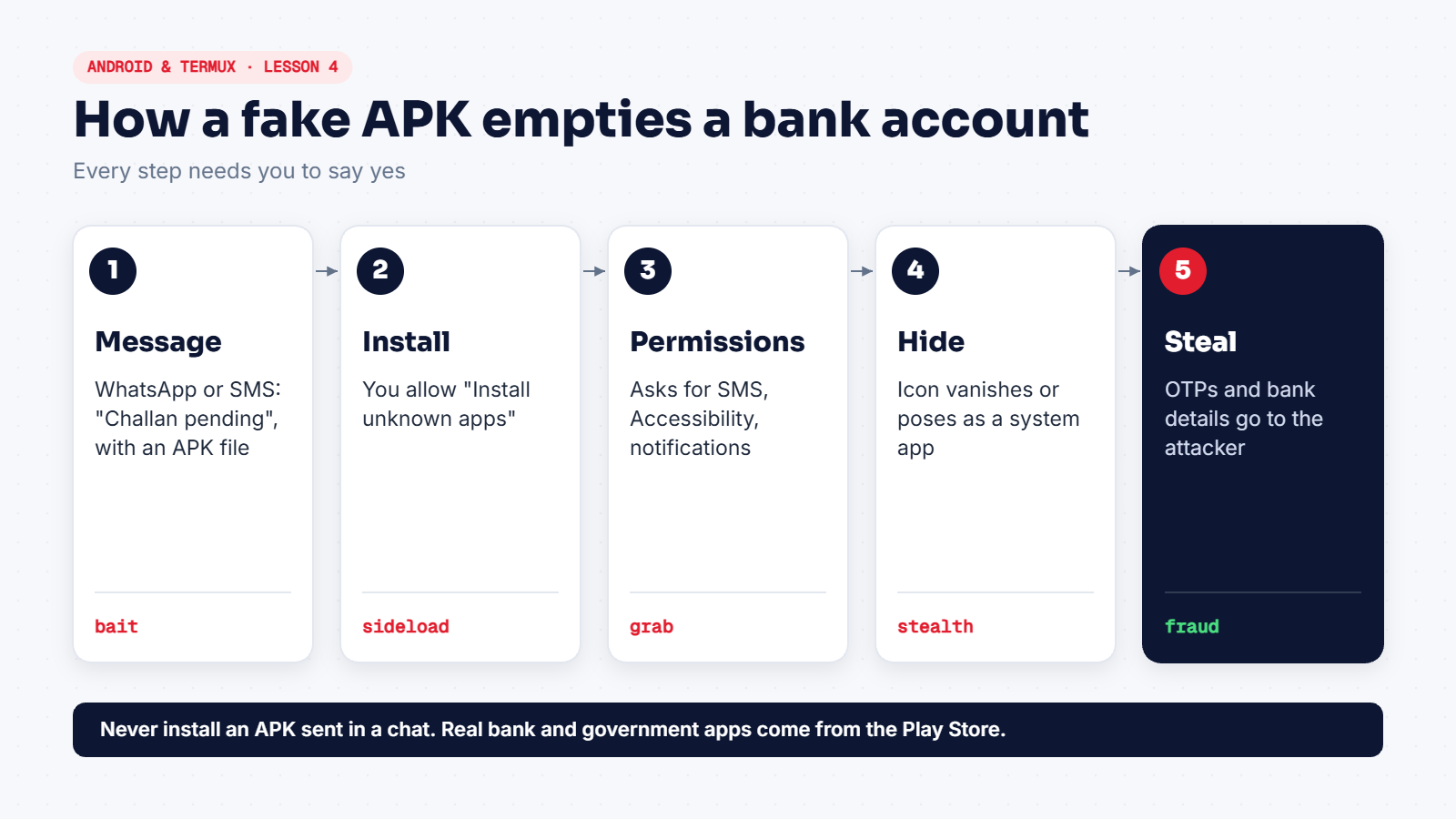
How it usually arrives
- A WhatsApp or SMS message: "Your traffic challan is pending", "Electricity will be cut tonight", "KYC update required".
- An APK file attached directly to the chat, often named like a real app:
mParivahan.apk,SBI-KYC.apk,Wedding-Card.apk. - Sometimes from a hacked friend's or relative's number, which makes it feel safe.
Red flags
- It's an APK file in a chat. Real government and bank apps are on the Play Store. Nobody needs to send you the file.
- Android warns you and asks you to allow "Install unknown apps" for WhatsApp or your browser.
- It asks for SMS, notification access or Accessibility straight after opening.
- The icon disappears after install, or the app shows a blank screen and closes.
If someone already installed it
- Turn on airplane mode to cut its connection.
- Go to Settings → Security → Device admin apps and turn off anything unfamiliar. Some malware blocks uninstalling until you do this.
- Uninstall the app from Settings → Apps.
- From a different device, change your banking and email passwords.
- Call your bank to block cards and net banking, and call 1930 or report at cybercrime.gov.in if money was taken.
- If you're unsure the phone is clean, back up photos and factory reset it.
For students: analyse safely
If you want to study a suspicious APK, never open it on your daily phone. Work in a VM:
sha256sum suspicious.apkSearch that hash on VirusTotal instead of uploading the file, then explore the app with tools like apktool or jadx on Kali. Look at AndroidManifest.xml to see which permissions it asks for.