
Every Android app runs in its own sandbox. To reach your camera, contacts, SMS or location, it has to ask. Those permissions are your phone's main line of defence, and the main thing malware tries to get.
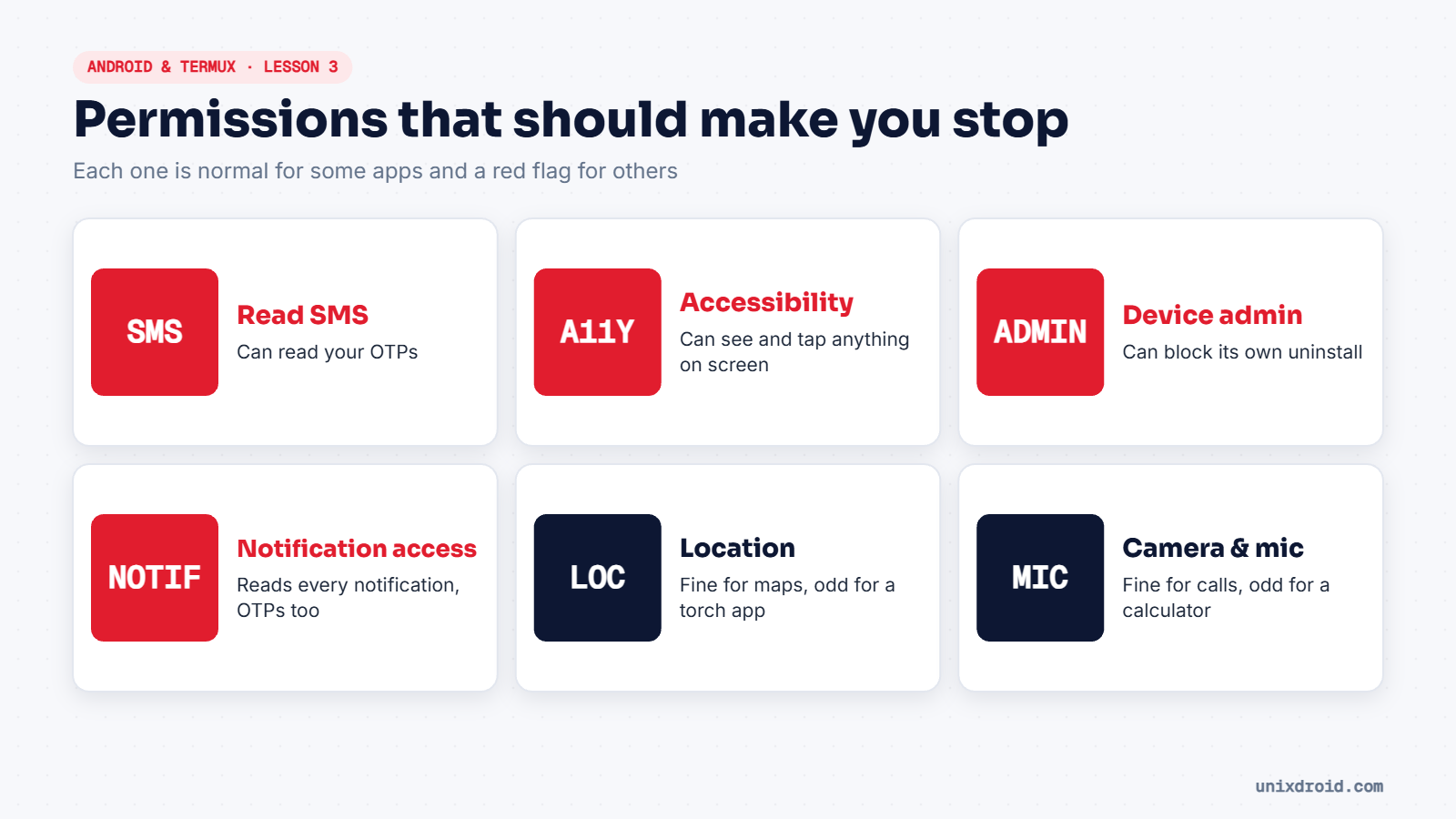
The simple test
A permission is fine when it matches what the app does. A maps app needs location. A video calling app needs the camera and microphone. A torch app or calculator needs neither.
If an app asks for something its job doesn't explain, deny it, or don't install it.
Check what your apps can do
- Settings → Apps → pick an app → Permissions shows everything it has.
- Settings → Security & privacy → Privacy → Permission manager lists, for each permission, every app that has it. (Menu names vary a little between brands.)
- On Android 12 and newer, the Privacy dashboard shows which apps used location, camera or mic in the last 24 hours.
Special access: the dangerous ones
Some powers aren't normal pop-up permissions. They sit under Settings → Apps → Special app access, and malware hunts for them:
| Access | What it really allows |
|---|---|
| Accessibility | Seeing everything on screen and tapping buttons for you |
| Device admin apps | Locking the phone and blocking uninstalls |
| Notification access | Reading every notification, including OTP messages |
| Install unknown apps | Installing more APKs from outside the Play Store |
| Display over other apps | Drawing fake screens on top of real apps |
Real apps rarely need these. Banking malware almost always asks for Accessibility or notification access, because that's how it reads OTPs.
Do a five-minute permission check once a month. Removing permissions from apps you don't trust costs nothing.