
The OSI model splits networking into seven layers, each with one job. You don't need to memorise it like a textbook. You need it because security people use it as shorthand: "that's a layer 2 attack" tells you a lot in three words.
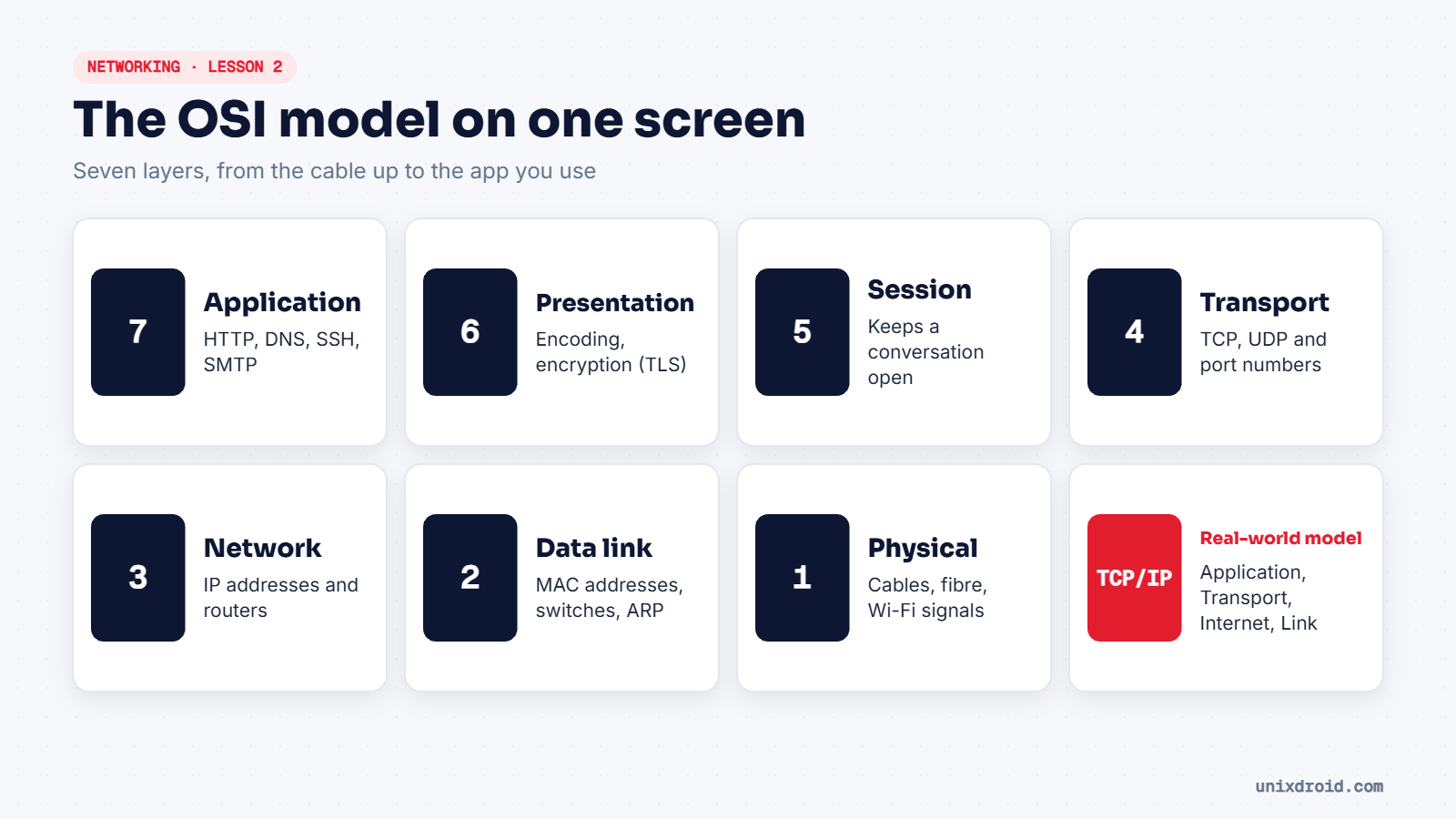
One example, all seven layers
You open https://unixdroid.com on your laptop:
| Layer | What happens |
|---|---|
| 7 Application | Your browser makes an HTTP request |
| 6 Presentation | TLS encrypts it |
| 5 Session | The connection to the server is kept open |
| 4 Transport | TCP splits it into segments, to port 443 |
| 3 Network | IP adds the source and destination addresses |
| 2 Data link | Your Wi-Fi card adds MAC addresses for the next hop |
| 1 Physical | It leaves as radio waves to your router |
At the server, it all runs in reverse, from layer 1 back up to 7.
TCP/IP: the model the internet really uses
In practice, networks follow the simpler TCP/IP model with four layers: Application (OSI 5–7), Transport (4), Internet (3) and Link (1–2). Both describe the same thing. OSI is just more detailed, which is why it's used for teaching and troubleshooting.
Attacks by layer
| Layer | Example attack |
|---|---|
| 7 Application | SQL injection, XSS, phishing pages |
| 4 Transport | SYN flood, port scanning |
| 3 Network | IP spoofing, ICMP floods |
| 2 Data link | ARP spoofing, MAC flooding |
| 1 Physical | Plugging a rogue device into an office port |
A firewall that only checks ports (layer 4) won't stop SQL injection (layer 7). That's why companies also use web application firewalls.
Memory trick, from layer 1 up: Please Do Not Throw Sausage Pizza Away.