
Every device on a network needs an address so data knows where to go. That's the IP address. The common version, IPv4, is four numbers from 0 to 255 separated by dots, like 192.168.1.20.
Find your own IP
ip a          # Linux
ipconfig      # Windows
On Linux, look for a line starting with inet under your network card, such as inet 192.168.1.20/24.
Private vs public
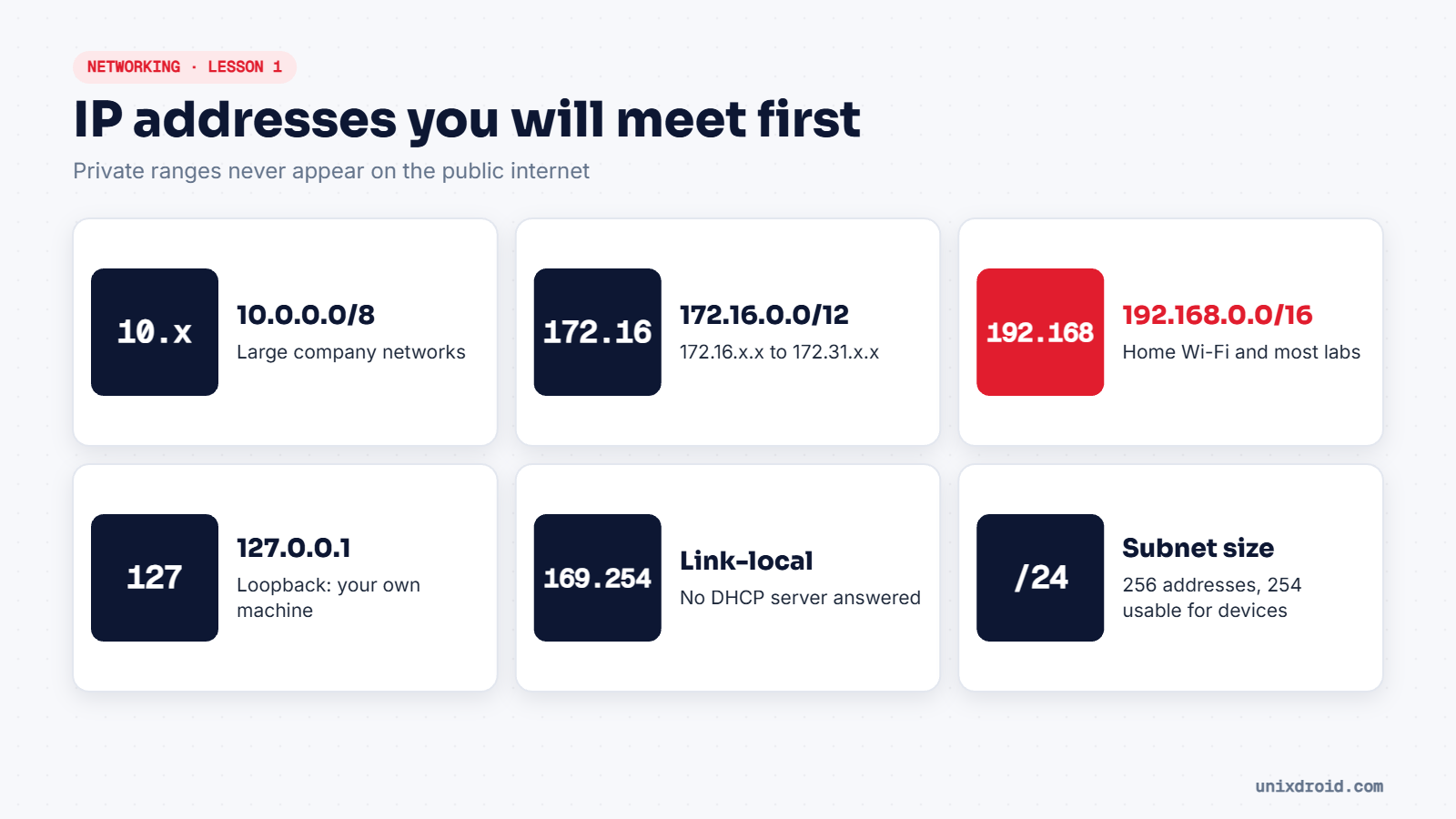
Some ranges are reserved for private networks, like your home Wi-Fi or an office LAN. They're never routed on the public internet, so millions of homes can all use 192.168.1.x at the same time:
| Range | Typical use |
|---|---|
10.0.0.0/8 | Large companies |
172.16.0.0/12 | Companies, cloud networks, Docker |
192.168.0.0/16 | Homes, small offices, labs |
Your router has one public IP from your ISP and shares it with every device at home. Check yours with curl ifconfig.me.
Two special ones are worth remembering: 127.0.0.1 always means "this machine", and an address starting with 169.254 usually means your device asked for an address and nobody answered.
What /24 means
The number after the slash says how many of the 32 bits are the network part. The rest are for devices.
| CIDR | Addresses | Feels like |
|---|---|---|
/32 | 1 | One single machine |
/24 | 256 | A typical home or lab network |
/16 | 65,536 | A big office |
/8 | 16.7 million | A huge organisation |
In a /24 like 192.168.1.0/24, the first address (.0) names the network and the last (.255) is the broadcast address. That leaves 254 addresses for devices. The router is usually .1.
Why hackers care
When you scan a network, the first thing you need is its range. nmap -sn 192.168.56.0/24 only works because you understand what that /24 covers. Get the range wrong and you either miss machines or scan things you have no permission to touch.
IPv6 addresses look different (
fe80::1c2b:...) and are much longer, but the same idea applies: a network part and a device part.