
Computers talk using IP addresses, but people remember names. DNS (Domain Name System) connects the two. Every time you open a website, DNS works quietly in the background first.
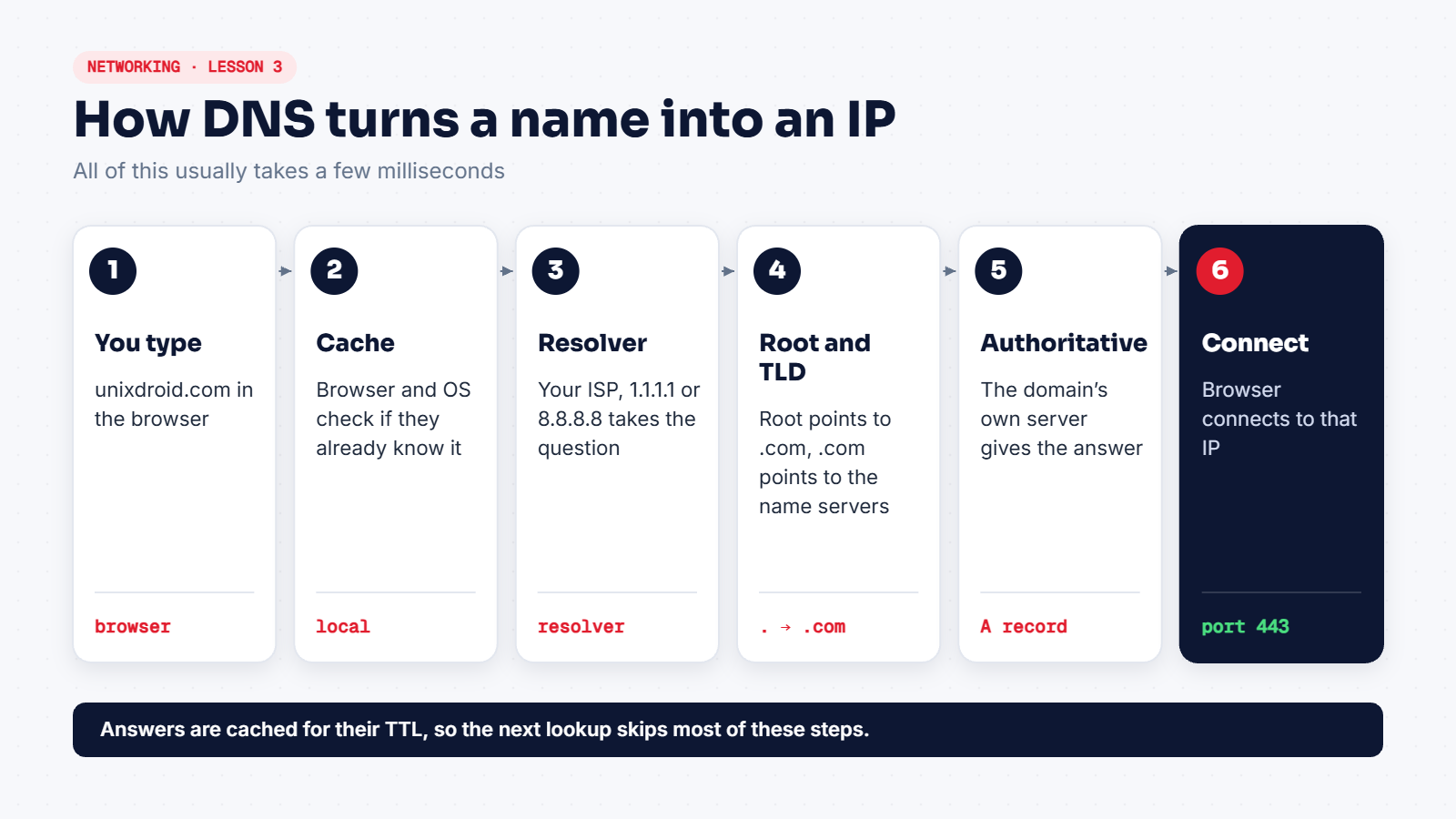
Query DNS yourself
dig unixdroid.com              # full answer
dig +short unixdroid.com       # just the IP
dig @1.1.1.1 unixdroid.com     # ask a specific resolver
dig +trace example.com         # watch every step from the root
nslookup unixdroid.com         # works on Windows too
dig +trace is the best way to see the diagram above happen for real.
Record types you'll use
| Type | Holds | Example use |
|---|---|---|
A | IPv4 address | Where the website lives |
AAAA | IPv6 address | Same, for IPv6 |
CNAME | Another name (alias) | www pointing to the main domain |
MX | Mail server | Where email for the domain goes |
TXT | Free text | Email security (SPF, DMARC), ownership checks |
NS | Name servers | Who is in charge of the domain |
How attackers abuse DNS
- Typosquatting: registering
unixdorid.comand waiting for people to mistype. - DNS spoofing: feeding a victim a fake answer so the real name points to the attacker's server.
- Subdomain discovery: during recon, finding forgotten hosts like
old-admin.example.com. - DNS tunnelling: hiding data inside DNS queries to sneak it past firewalls.
The hosts file
Before asking DNS, your computer checks a local file: /etc/hosts on Linux, C:\Windows\System32\drivers\etc\hosts on Windows. Malware sometimes edits it to send banking sites to fake servers, so it's worth checking on a suspicious machine.
DNS answers are cached for a time called the TTL. That's why a change to a domain can take a while to show up everywhere.