
Every web attack you'll ever learn, SQL injection, XSS, broken logins, travels inside HTTP. So before attacking web apps, you need to read HTTP as easily as a sentence.
A request and a response
Use curl against your lab's web server and ask it to show everything:
curl -v http://192.168.56.102/The lines starting with > are what you sent:
> GET / HTTP/1.1
> Host: 192.168.56.102
> User-Agent: curl/8.5.0
> Accept: */*
And the lines starting with < are what came back:
< HTTP/1.1 200 OK
< Server: Apache/2.2.8 (Ubuntu) DAV/2
< Content-Type: text/html
The first request line has three parts: the method (GET), the path (/) and the protocol version. Then come headers, then an empty line, then an optional body.
Methods
| Method | Used for |
|---|---|
GET | Asking for a page or data |
POST | Sending data, like a login form |
PUT / PATCH | Updating something |
DELETE | Removing something |
Status codes
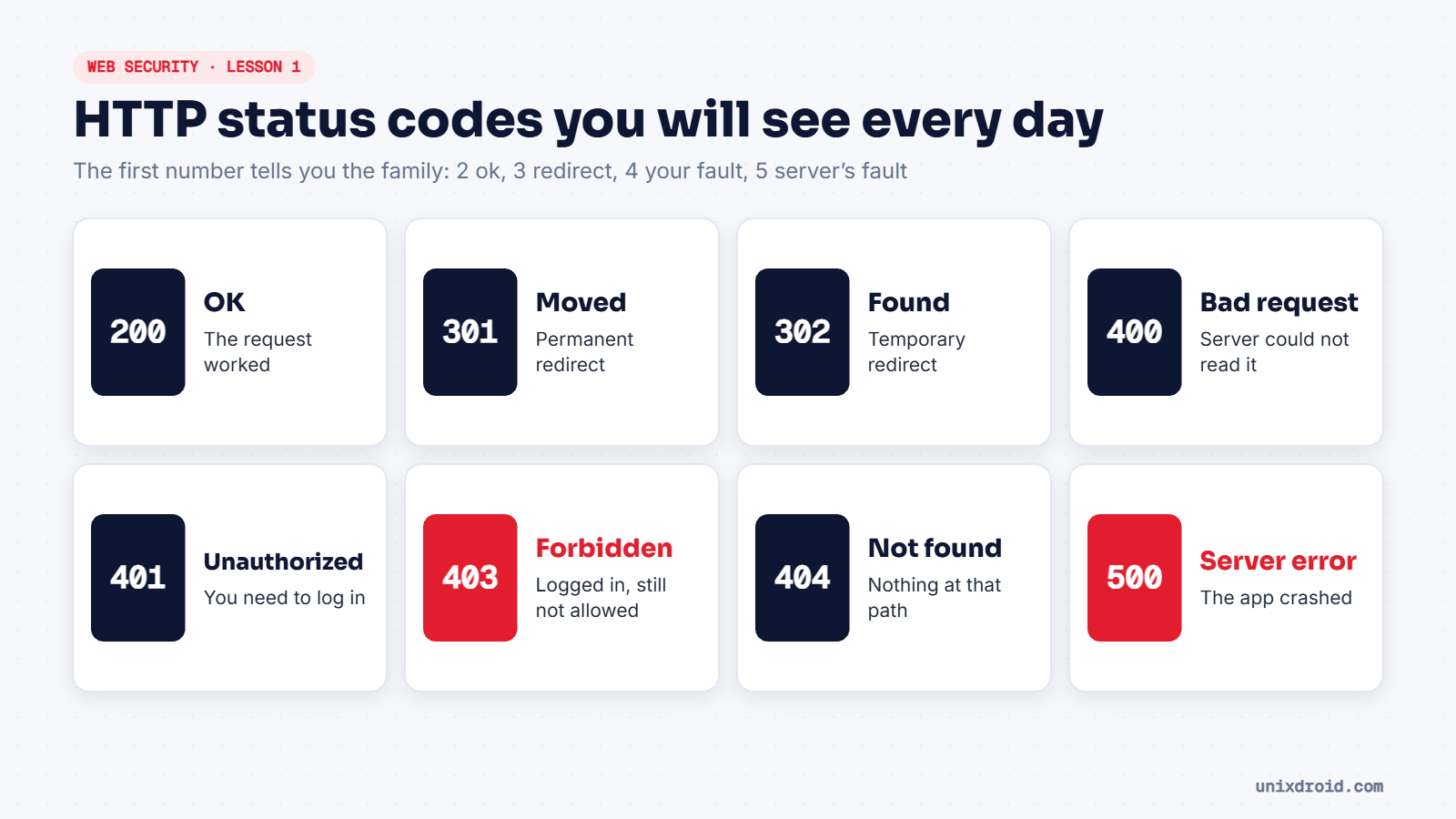
For testers, 403 is interesting: something exists there, you just aren't allowed. And a 500 after strange input can mean you broke the app's logic, a common first sign of injection.
Headers worth reading
| Header | Why it matters |
|---|---|
Server | Often reveals software and version, like Apache/2.2.8 |
Set-Cookie | Your session ID, and its security flags |
Strict-Transport-Security | Forces browsers to use HTTPS |
Content-Security-Policy | Limits which scripts can run (helps against XSS) |
HTTP vs HTTPS
HTTPS is the same HTTP, wrapped in TLS encryption. The requests look identical once decrypted. That's why tools like Burp Suite sit in the middle, decrypt your own traffic, and let you read and change it.
Use
curl -Ito fetch only the headers. It's a fast way to fingerprint a web server.