
You've just installed Kali Linux. The dragon wallpaper is on the screen, the terminal is open, and you want to start hacking straight away.
Wait 30 minutes. The five things in this post will save you from the problems almost every beginner hits in their first week: outdated tools, a password the whole internet knows, a VM that won't copy and paste, and a broken install with no way back.
This guide assumes you're running Kali inside a virtual machine (VirtualBox or VMware), which is the right choice for beginners. The current release at the time of writing is Kali 2026.3.
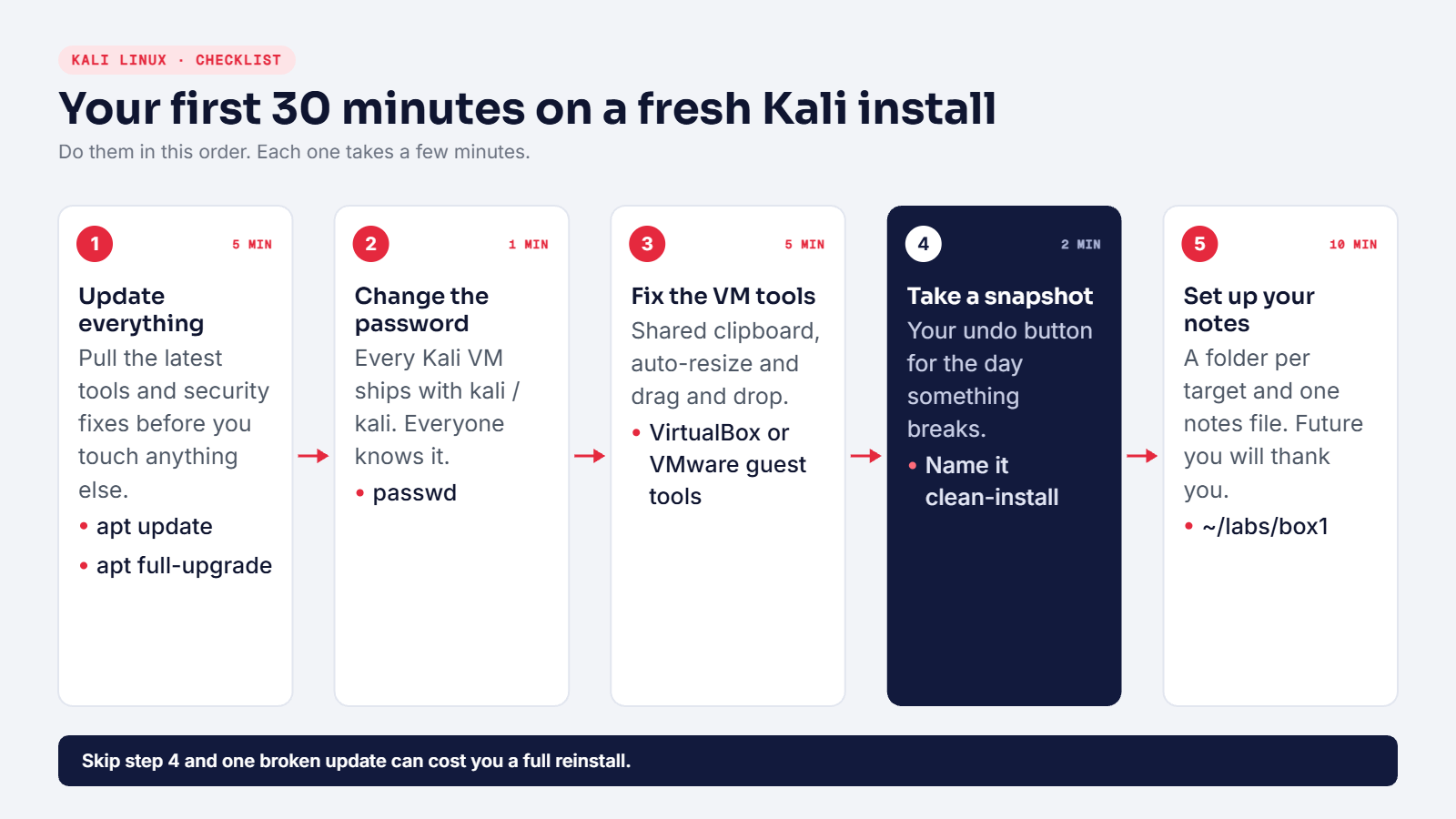
1. Update everything
Kali is a rolling release. Tools get updated every week, and the ISO or VM image you downloaded is already a little old. Before you do anything else, update it:
sudo apt update
sudo apt full-upgrade -y
sudo apt autoremove
Here's what each line does:
apt updatedownloads the latest list of packages. It doesn't install anything.apt full-upgradeinstalls the newer versions, and is allowed to add or remove packages when dependencies change. On Kali, use this instead of plainupgrade.apt autoremovecleans up old kernels and packages that nothing needs any more.
When it's done, check your version and reboot:
grep VERSION /etc/os-release
sudo reboot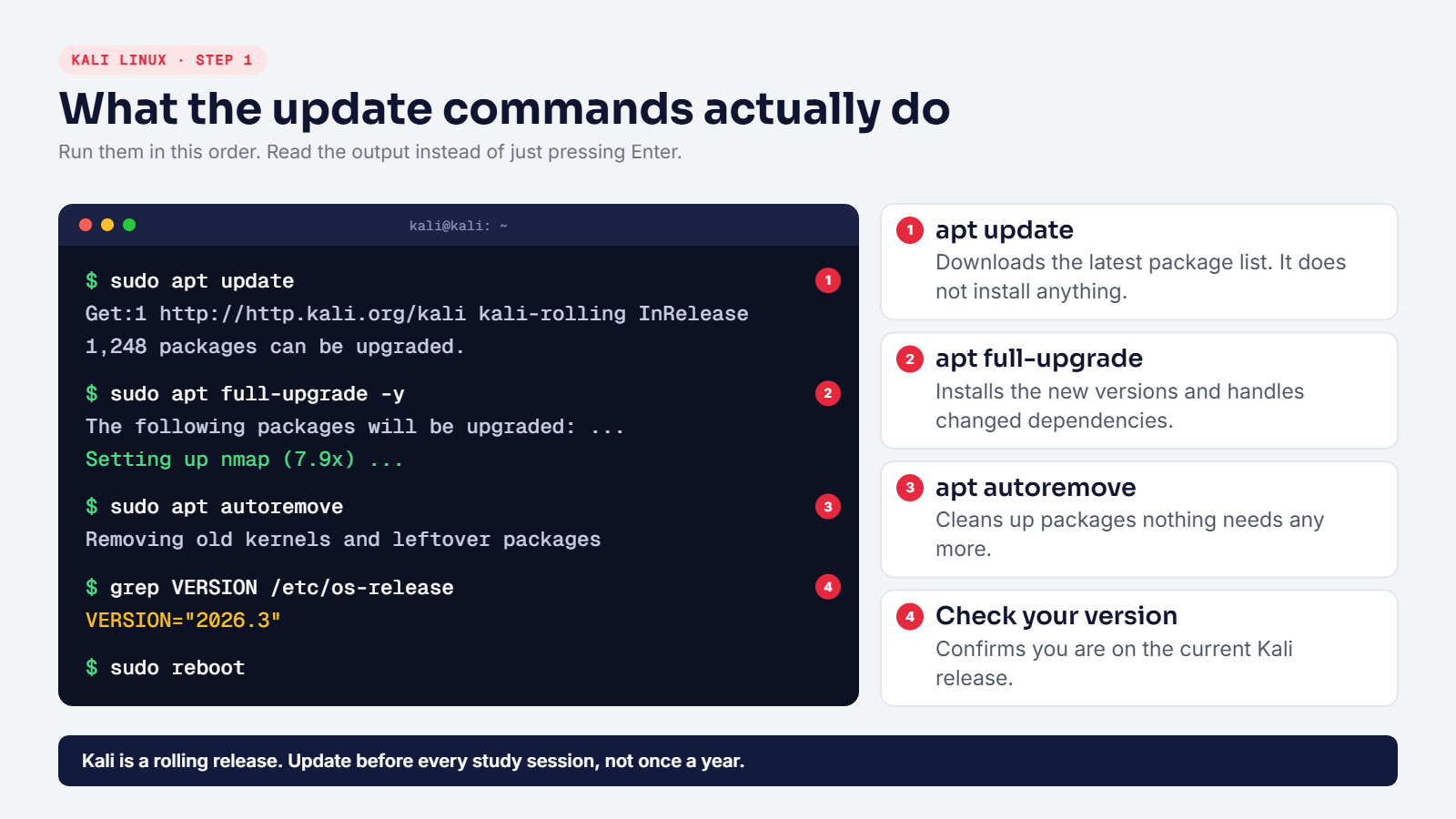
Tip: make updating a habit. Run it at the start of every study session, not once a year. If an update ever fails halfway, run sudo dpkg --configure -a and then the update again.
2. Change the default password
If you used the ready-made Kali VM image, the username and password are both kali. That's printed on the download page, so literally everyone knows it.
Change it right away:
passwdType your current password (kali), then your new one twice. Nothing appears on screen while you type. That's normal.
If you installed from the ISO, you already created your own user during installation, but make sure you didn't pick something weak "just for the lab". Lab machines end up on real networks more often than you'd think.
While you're here: you don't need to log in as root. Kali uses a normal user with sudo by default, and that's on purpose. Use sudo only for the commands that need it.
3. Fix the VM tools (copy, paste and screen size)
If your Kali window is tiny, won't resize, or you can't copy a command from your browser into the terminal, the guest tools are missing or outdated.
VMware:
sudo apt install -y open-vm-tools-desktopVirtualBox:
sudo apt install -y virtualbox-guest-x11Reboot afterwards. In VirtualBox, also turn on Devices → Shared Clipboard → Bidirectional.
Now you can copy commands from tutorials (after reading them, of course) and the screen resizes with the window.
4. Take a snapshot
This is the step beginners skip, and the one they regret most.
A snapshot saves the exact state of your VM. If an update breaks something, you install a tool that messes up Python, or you run a command you didn't understand, you can go back to this moment in a few seconds instead of reinstalling.
- VirtualBox: Machine → Take Snapshot
- VMware: VM → Snapshot → Take Snapshot
Name it something clear like clean-install-updated. Take a new one before every big change, and delete the old ones you no longer need (snapshots use disk space).
5. Set up your notes and folders
Every good hacker takes notes. Not because they're forgetful, but because hacking is a process of trying things, and you need to remember what you tried, what worked and why.
Create a simple structure:
mkdir -p ~/labs/box1/{scans,loot,exploits}
touch ~/labs/box1/notes.md
For every machine you practise on, keep:
- the target IP and what platform it's from
- every scan you ran and the interesting output
- what you tried, including what didn't work
- the final path to user and root, in your own words
Use any notes app you like (Obsidian, CherryTree, or just Markdown files). After 20 machines, this folder becomes your personal hacking textbook.
Bonus: a few useful extras
kali-tweaksopens a menu to change shell settings, enable extra repositories and install tool groups. Run it withkali-tweaks.- Install more tools only when you need them. The default install already has the important ones. If you really want everything,
sudo apt install -y kali-linux-large, but it's several GB. - Learn the terminal. You'll use it for almost everything. Our post on 25 Linux commands every ethical hacker should know is a good next step.
Good habits from day one
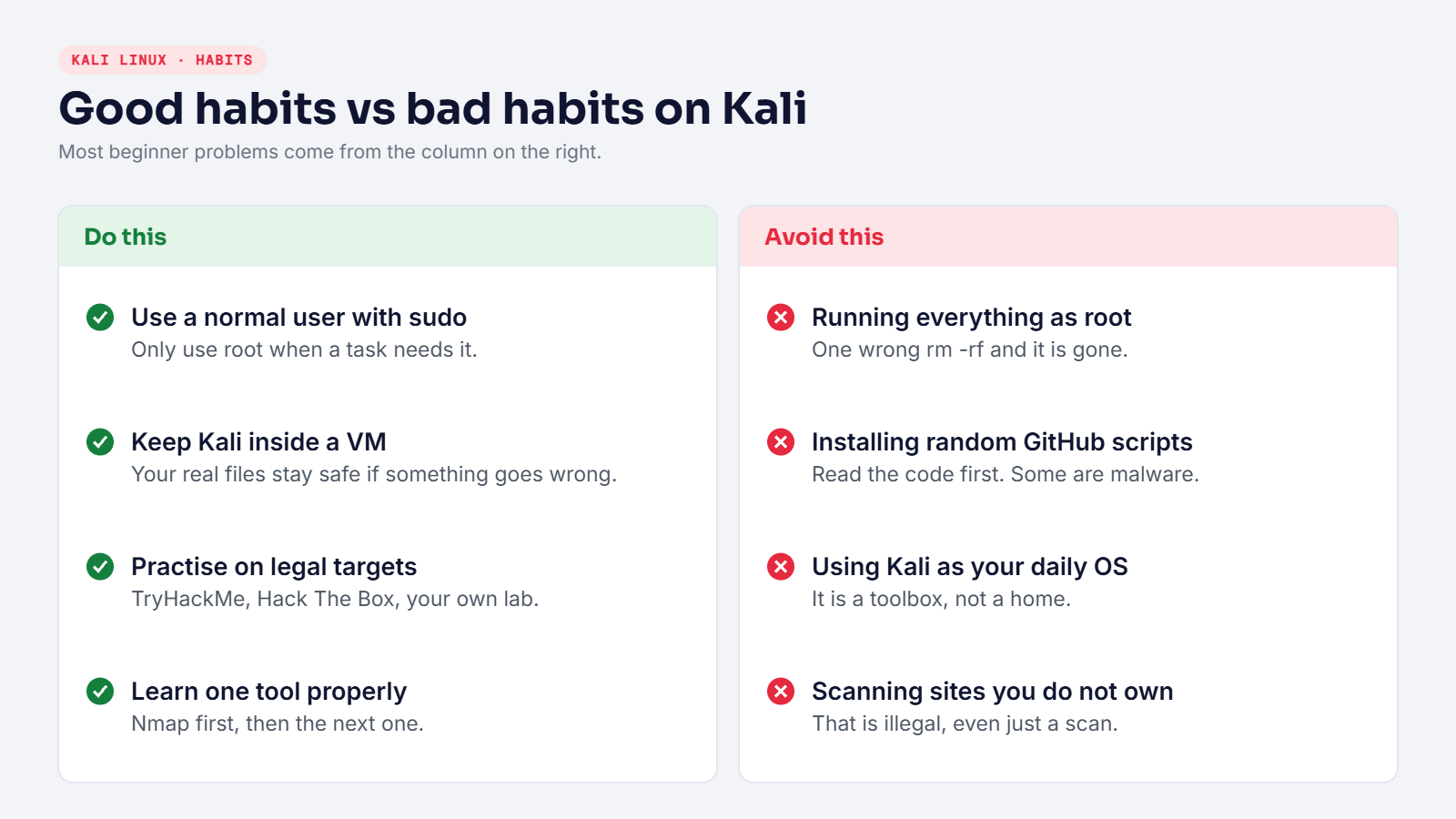
One last thing, and it matters more than any tool: only test systems you own or have written permission to test. Scanning a random website, your college network or your neighbour's Wi-Fi isn't "practice". In India it can fall under the IT Act. Use TryHackMe, Hack The Box, or your own home lab instead.
Now your Kali is updated, secure, comfortable to use and backed up. Time to start learning.