
"The dark web is 90% of the internet." "Just opening it can get you arrested." "You can hire hackers there." You've probably heard all of these in reels and YouTube thumbnails. Most of them are wrong, or at least badly exaggerated.
This post explains the three layers of the web in plain language, how Tor actually works, what's real and what's myth, and what a student should and shouldn't do with any of it.
The three layers
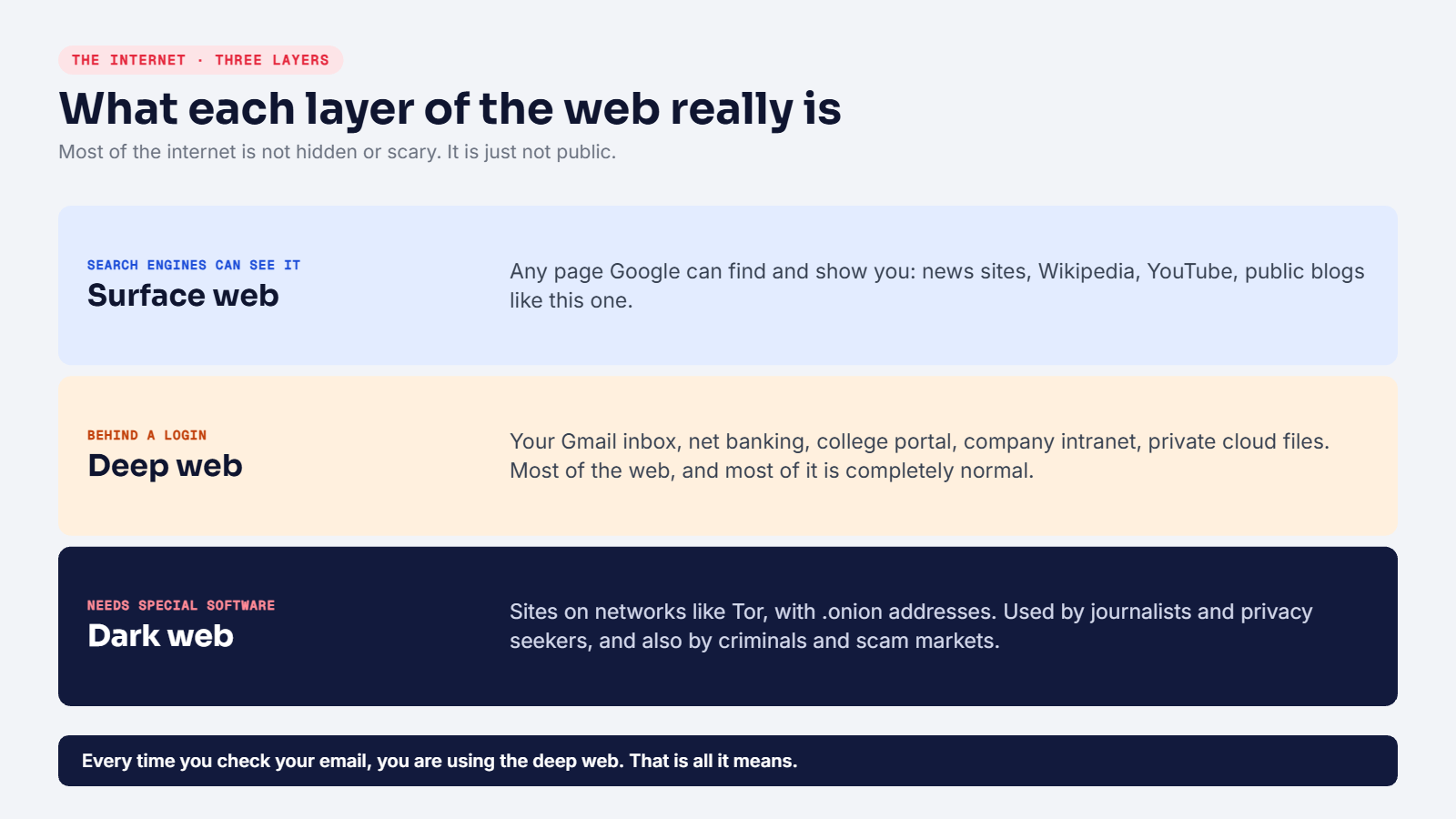
Surface web
Everything a search engine can find and show you. News sites, Wikipedia, YouTube videos, public Instagram profiles, this blog. If Google can index it, it's the surface web.
Deep web
Everything that's on the web but not shown in search results, usually because it's behind a login or simply not linked publicly:
- your Gmail inbox and WhatsApp Web
- your net banking dashboard
- your college or exam portal
- your company's internal tools
- private Google Drive files
That's it. The deep web isn't mysterious. It's most of the internet, and you use it every day. When someone says "the deep web is huge", they're right, but they're mostly talking about inboxes and dashboards.
Dark web
A small part of the internet that can only be reached with special software, most commonly Tor. Dark web sites use addresses ending in .onion, which normal browsers can't open.
Who uses it? A mix:
- journalists, activists and people in countries with heavy censorship
- privacy-focused users and researchers
- real organisations (some major news outlets and social networks run official
.onionversions of their sites) - and, yes, criminals: markets for stolen data, drugs and fake documents, plus a lot of scammers
How Tor works
Tor stands for The Onion Router. The name comes from how it wraps your traffic in layers of encryption, like the layers of an onion.
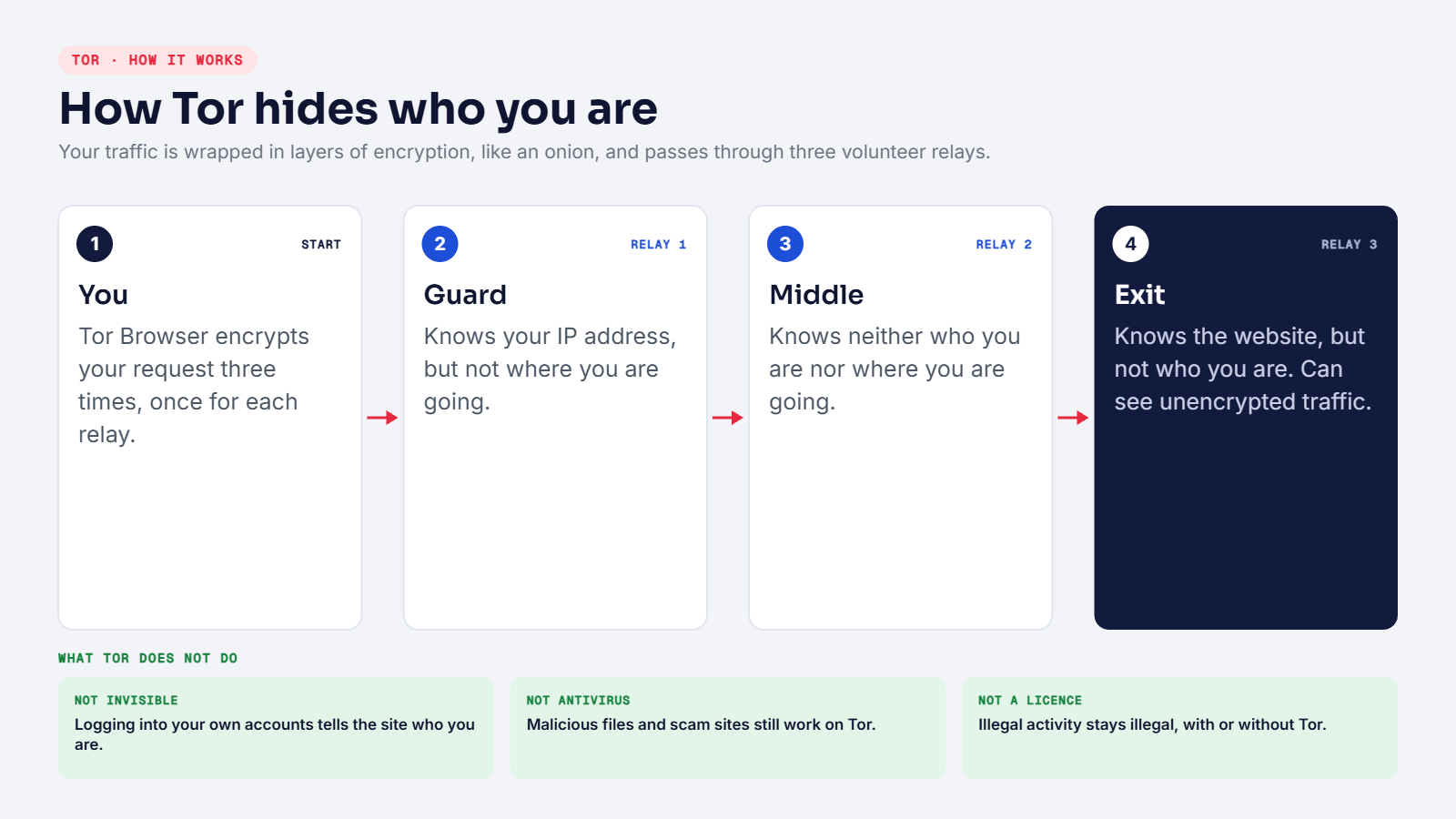
When you open a website in Tor Browser:
- Your browser picks three volunteer-run servers called relays: a guard, a middle and an exit.
- It encrypts your request three times, once for each relay.
- The guard removes the first layer. It knows your IP address, but not your destination.
- The middle relay removes the second layer. It knows neither.
- The exit relay removes the last layer and contacts the website. It knows the destination, but not who you are.
No single relay sees the whole picture. That's the privacy.
For .onion sites, the connection never leaves the Tor network at all, so both the visitor and the site stay hidden from each other.
What Tor doesn't do
- It doesn't make you invisible. If you log into your Google or Instagram account over Tor, that site knows exactly who you are.
- It doesn't protect you from malware. A malicious download is just as dangerous on Tor.
- The exit relay can see unencrypted traffic. If a regular site doesn't use HTTPS, whoever runs the exit could read it.
- It doesn't make illegal things legal. More on that below.
Myths vs reality
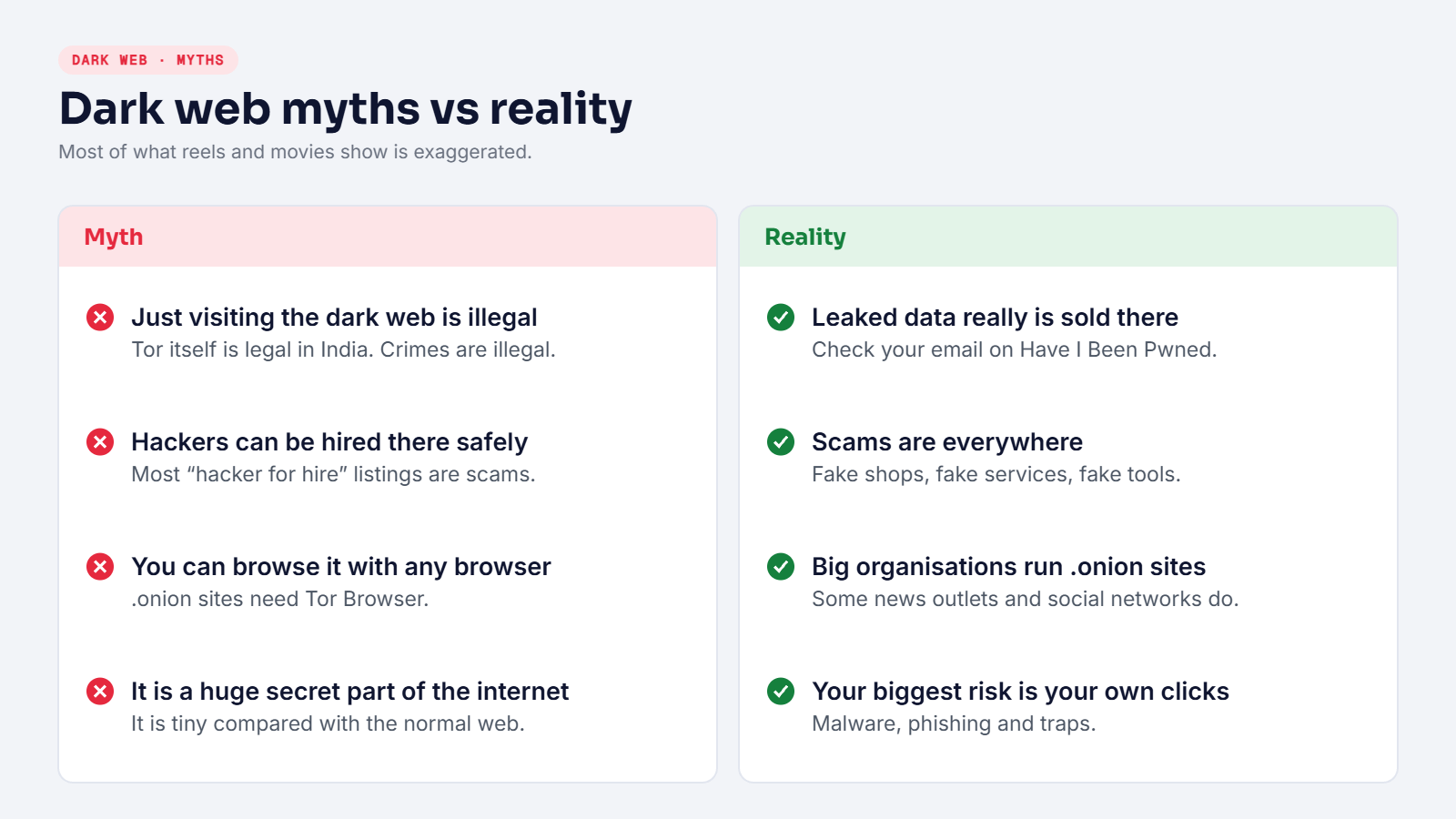
"Just visiting the dark web is illegal." Using Tor is not illegal in India. What's illegal is what's illegal anywhere: buying drugs, stolen data, weapons or fake documents, accessing child abuse material, and so on. Those are crimes with or without Tor.
"You can hire hackers there." Most "hacker for hire" and "WhatsApp hacking service" listings are scams. You pay in crypto and get nothing. Some are worse: they collect your details and then blackmail you.
"The dark web is most of the internet." That's confusing it with the deep web. The dark web is tiny in comparison.
"Leaked data is sold there." This one is true. When companies get breached, the stolen databases often end up for sale or are leaked for free on dark web forums. That's why your password from an old breach can be used against you years later.
How this affects you (without ever visiting)
You don't need to open Tor to be affected by the dark web. If your email was in a data breach, your old passwords may already be circulating. Protect yourself:
- Check your email address on Have I Been Pwned (haveibeenpwned.com).
- Use a different password for every account, kept in a password manager.
- Turn on two-factor authentication everywhere, especially email, banking and Instagram.
- Never reuse your email password anywhere else. Our post on password security explains why.
Should students explore the dark web?
Honestly, there's very little to learn by randomly browsing it, and a lot of ways to get scammed, see disturbing content or download malware. If you're curious for research:
- learn how Tor works from the official Tor Project documentation first
- never download or run files from
.onionsites - never buy anything, and never share personal details
- don't use your real accounts, real name or main computer
- close anything that looks illegal immediately
For a cybersecurity career, the dark web matters mostly through threat intelligence: security teams monitor leak sites and forums to find out if their company's data has been exposed. That's done by trained professionals with proper tools and legal approval, not by students clicking random links.
The summary
- Surface web: what search engines show.
- Deep web: everything behind logins. Normal, everyday, huge.
- Dark web: a small network reached through Tor. Legal to use, full of scams, and home to real criminal markets.
Understanding the difference makes you harder to scare with clickbait, and much better at protecting your own data.